
Microsoft 365 Access
Microsoft Access
Microsoft Access is a time-proved system for database creation and management in popular formats customized for every particular case. Microsoft Access is an up-to-date tool that helps to create business-boosting applications without spending much time. Create business applications using ready templates, or from scratch. The program features a wide functionality and samples for database creation and also offers easy-to-use design tools.
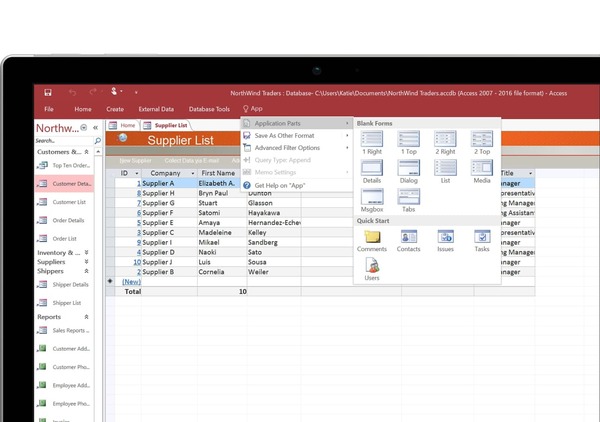
Microsoft Access users can easily create and configure their applications to carry out successful business taking into account all company needs.
Get detailed advice Our specialists will be happy to answer your questions
Microsoft Access features
Create business programs
Microsoft Access is a simple tool for creation of business programs from scratch or with the help of ready-made templates. Now, you don’t need a software developer to create an easy-to-use program - with the help of multifunctional intuitive tools in the system, any user will be able to do that
Create custom programs for your particular case
Applications are easy to modify according to the internal needs of your company and your customers. Use Visual Basic for Applications to save time and automate all your business processes
Add tables quickly
Easy-to-use and intuitive tools will help to quickly create data tables
Combine multiple data sources
Flexibly integrate data between Access and business programs with the help of the custom Access library for the further visualization based on the combined data. Analyze data in the Access interface
Convenient data storage
Data storage with the help of SQL Server and Microsoft Azure SQL is a reliable and secure method for long-term information keeping. The system provides easy and intuitive access to the projects in a cloud storage
Microsoft Teams integration
The new program version features shared access and data editing via cloud storage
100+
5+
200+
100%
Microsoft Access benefits
Comprehensive set of product tools
The main components of Microsoft Access include a table constructor of display forms, SQL requests constructor, report constructor for printing, and many more
24/7 support
The program provides interactive informational support, where you can get comprehensive information on new system functionalities with step-by-step instructions from the guidebook at any time
Automatic saving
All updates made will be automatically saved, even in case of an emergency program shutdown
Integration
Combination of Microsoft Access with Power Platform and Microsoft Teams. Collaboration on data in Access in real-time mode
Constant development
Microsoft Access service is fully compatible with Windows, is being regularly updated by its provider, and supports a huge variety of languages
Reliability
Data you need for a successful business is securely stored and stays in your focus
Leave a request for an online presentation of the solutions!
Our experts are ready to answer all your questions