
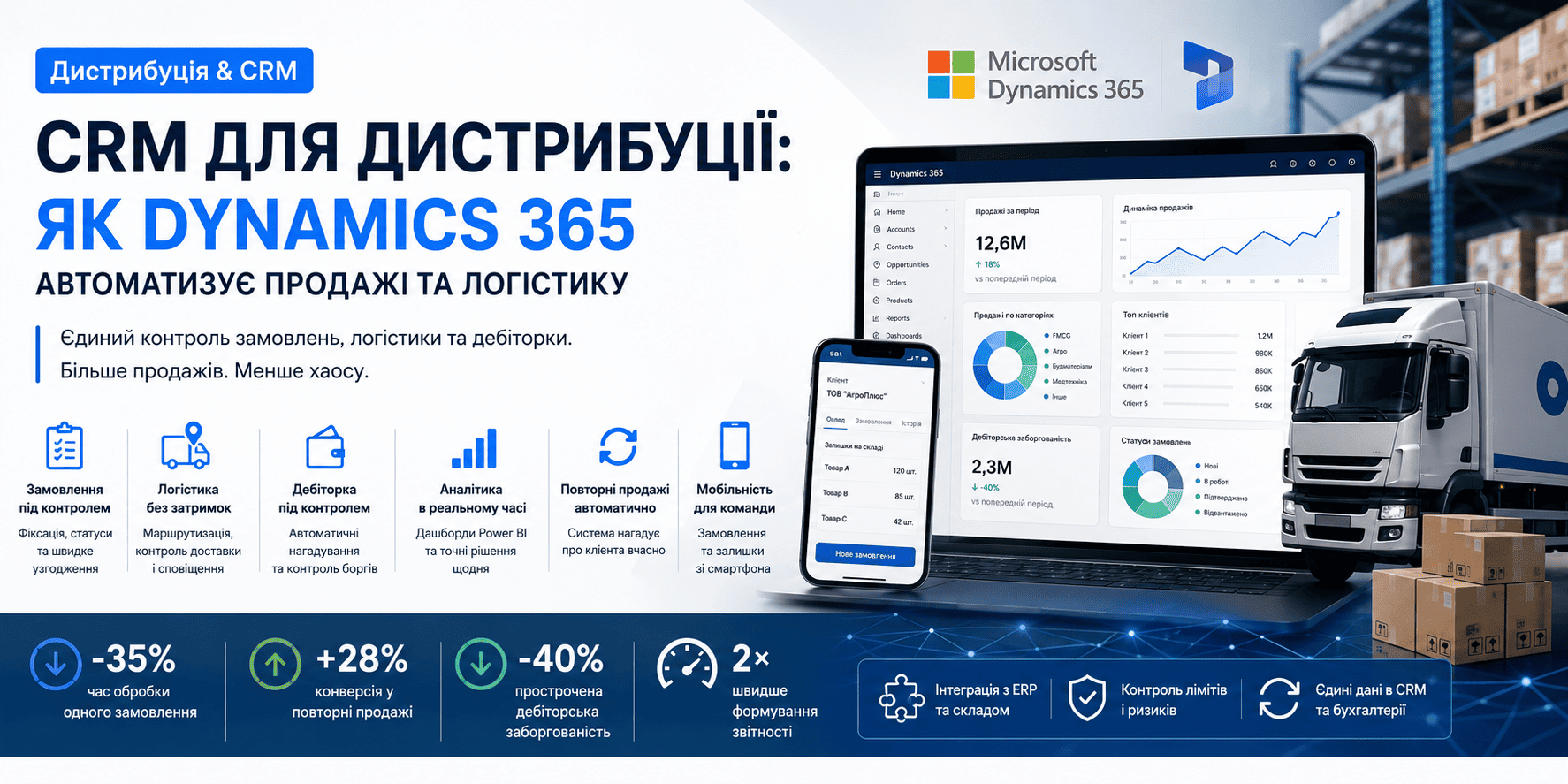
CRM for Distribution: How Dynamics 365 Automates Sales
CRM for Distribution: How Dynamics 365 Automates Sales and Logistics
Why distribution businesses lose revenue without a CRM — and how Microsoft Dynamics 365 solves the core pain points: order chaos, uncontrolled receivables, and blind spots in the sales funnel.
Why Excel Is No Longer Enough
Distribution runs on speed and accuracy. A customer calls, asks about stock, and wants delivery tomorrow. If a manager spends 20 minutes checking inventory, negotiating the price, and issuing an invoice — they either lose the deal or make a promise they can't keep. Multiply that across hundreds of customers and you have a systemic failure.
Common pain points for distributors without a CRM:
- Orders are taken by phone and recorded in different spreadsheets — status unknown until shipment
- A manager goes on leave — all client relationships disappear with them
- Overdue receivables only surface at month-end in the financial report
- No visibility into which customers are buying less frequently — or why
- Logistics and sales operate in completely separate worlds
What a Dynamics 365 CRM Delivers for Distribution
Microsoft Dynamics 365 Sales is more than a customer card. For a distributor, it's a single control point for the entire cycle: from first contact to repeat orders and logistics. The system integrates with ERP, warehousing, and telephony to form one unified operating platform.
Order Management
Orders are captured in the CRM the moment they are placed — linked to the customer, product line, price, and delivery deadline. Status updates automatically.
Route Planning & Logistics
Integration with the logistics module allows delivery route planning, vehicle load monitoring, and automatic customer notifications.
Receivables Control
The CRM shows the current receivables status per customer. Automated reminders reduce overdue payments by 40%.
Sales Analytics
Power BI dashboards embedded in Dynamics 365 show ABC customer analysis, SKU trends, seasonality, and sales plan variances in real time.
Repeat Sales Automation
The system tracks each customer's average order cycle and prompts the manager to call — before the customer goes to a competitor.
Mobile Access for Field Reps
Sales reps in the field see live stock levels, place orders, and process documents directly from their phone — no trip back to the office required.
A Typical Manager's Day with Dynamics 365
8:30 AM — the manager opens the CRM and sees: 3 customers ready for a repeat order (flagged by the system based on order cycles), 1 customer with a payment 14 days overdue, 2 new inbound leads. Priorities for the day are set automatically.
10:00 AM — a customer call. Copilot in Dynamics 365 auto-prepares the customer brief: purchase history, last order date, agreed pricing, current balance. No need to toggle between email, a notepad, and an ERP system.
11:30 AM — the customer confirms an order. The manager logs it in CRM with one click. The logistics team receives an automatic notification. An invoice is generated via ERP integration — no manual data entry.
5:00 PM — the daily report generates automatically. The manager's supervisor sees: pipeline size, stuck deals, risk of missing the monthly target. No manual data collection.
ERP and Warehouse Integration
For a distributor, a CRM without ERP connectivity is half a solution. Dynamics 365 integrates natively with Microsoft Dynamics 365 Business Central (ERP), delivering:
- Real-time warehouse stock levels — managers never promise what isn't there
- Automatic invoice and delivery note generation upon order confirmation
- Customer credit limit controls — shipments are blocked when debt thresholds are exceeded
- A single shared customer database — no duplication between CRM and accounting
- Automatic price and price-list synchronisation when supplier terms change
Key Consideration for Agribusiness and FMCG Distribution
Seasonal demand spikes, multi-warehouse logistics, and retail network specifics require additional customisation. Progresia has delivered 15+ CRM implementations for distributors and maintains ready-made vertical templates: agribusiness, FMCG, construction materials, and medical equipment.
Implementation: From Kickoff to Results
A Progresia CRM implementation for a distribution company takes 6–10 weeks and runs in four stages:
Stage 1 — Audit and Design (1–2 weeks)
We map your current processes: how orders are taken, which systems are in use, where time and money are being lost. Requirements are locked into a technical specification agreed with your team.
Stage 2 — Configuration and Integration (2–4 weeks)
We deploy Dynamics 365 and configure it for distribution specifics: sales funnels, discount approval flows, receivables controls, ERP and warehouse integration. Telephony is connected if required.
Stage 3 — Training and Testing (1–2 weeks)
We train managers and supervisors. Critical workflows are tested end-to-end: order intake, invoicing, status tracking. Adjustments are made based on pilot feedback.
Stage 4 — Support and Growth
After go-live, we provide technical support and regular updates. Most clients return within 3–6 months to extend: adding Power BI, marketing automation, or field agent features.
Why Progresia and not any other Microsoft partner?
Dynamics 365 is offered by dozens of partners. The difference is vertical expertise. Progresia brings:
- 100+ CRM implementations
- A team of certified Microsoft specialists
- Own Power Platform products that integrate with CRM: Progresia.Chat, Progresia.Phone
- 24/7 support with a 2-hour SLA for critical incidents
A CRM implementation is not a one-time project. It's a multi-year partnership. Our success depends on yours — and that's how we approach every engagement.
Get a Free Sales Process Audit
We'll show you exactly which distribution workflows can be automated right now — no generic pitch, no inflated scope.