
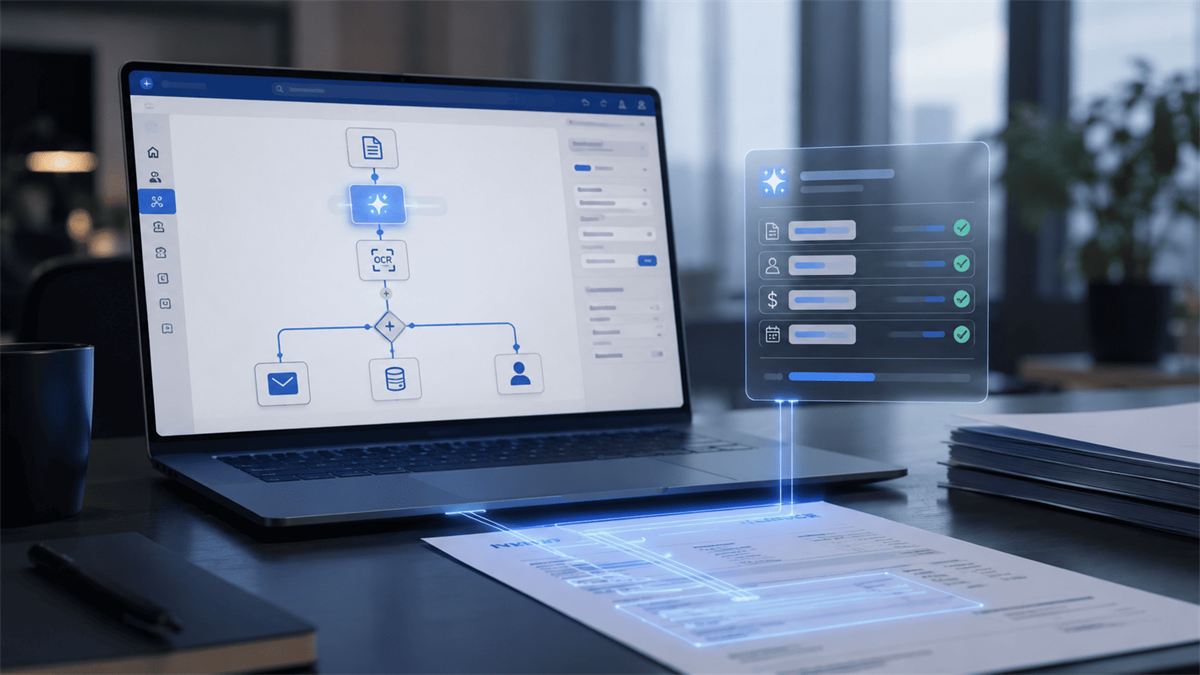
AI Builder and Power Automate: process automation without a Copilot license
Not all Microsoft AI is Copilot. AI Builder inside Power Automate lets you recognize documents, classify requests, and forecast metrics without a separate Copilot license — and it's often a cheaper, faster way to automate one specific routine process.
How AI Builder differs from Copilot
Copilot is an assistant a person has a conversation with: asking a question, getting an answer or generated text. AI Builder is a set of ready-made AI models embedded into an automated Power Automate process, working without human involvement at every step: a document arrives → AI Builder extracts the data → the process continues according to defined logic.
That's a fundamental difference in use case. Copilot fits when a person needs help in the moment. AI Builder fits when a process needs to run automatically, in the background, for hundreds or thousands of documents a month, without manually reviewing each one.
AI Builder's ready-made models
Document recognition
Extracts structured data from invoices, delivery notes, and contracts — no manual data entry.
Text classification
Determines the topic and priority of an incoming request or email to automatically route it to the right department.
Sentiment analysis
Scores the tone of a customer review or request — negative, neutral, positive — to prioritize how it's handled.
Forecasting
Builds a forecast from the company's historical data: churn likelihood, payment-delay risk.
A sample workflow
A typical scenario for a distribution or manufacturing company: a supplier emails an invoice → Power Automate automatically picks up the attachment → AI Builder extracts the supplier, amount, and line items → the data lands in the accounting system with no manual entry → if the amount exceeds a set threshold, the process automatically creates an approval task for a manager. A human only steps in where a decision is actually needed, not at the stage of copying numbers off paper into a system.
Processes like this are often built on top of Dataverse and integrated with the company's CRM — more on the platform overall on the Power Automate by Progresia page.
When AI Builder makes more sense than Copilot
- High volume of similar documents: hundreds of invoices or requests a month is a job for an automated process, not for an assistant someone converses with about each document
- A process that doesn't need dialogue: data just needs to land in the system following set logic, with no questions or clarifications
- Budget that scales: AI Builder is licensed by the number of actions performed (AI Builder credits), which is often cheaper than a per-user Copilot license at high volumes of similar operations
This doesn't mean AI Builder and Copilot are mutually exclusive. Many companies use both: AI Builder for background document and data processing, Copilot for employees' daily work with email, meetings, and analytics. For the conversational scenario in analytics, see Copilot in Power BI for executives. Access-rights questions for AI document processing are covered in Copilot security.
What's needed to launch it
- Sample documents: training a custom recognition model needs 20-50 samples of the typical document
- A clearly defined process: what happens at each step after data is recognized
- License: AI Builder credits added on top of an existing Power Automate or Power Apps subscription
Frequently asked questions
Do you need developers to set up AI Builder?
Not for the ready-made models (document recognition, text classification) — setup is low-code and accessible to a business analyst. A custom model for a non-standard document format needs more time for training and testing.
How accurately does AI Builder recognize documents from different suppliers and formats?
Accuracy depends on the number and variety of samples used to train the model. For a stable document format (say, invoices from the same supplier), accuracy is typically above 90% after training on 20-30 examples.
Can AI Builder connect to a company's existing CRM or ERP system?
Yes, Power Automate with AI Builder integrates with Dynamics 365, and via connectors with most external ERP and accounting systems companies already use.
Want to automate document or request processing?
We'll analyze your process and show you where AI Builder delivers a quick result without unnecessary licensing costs.