
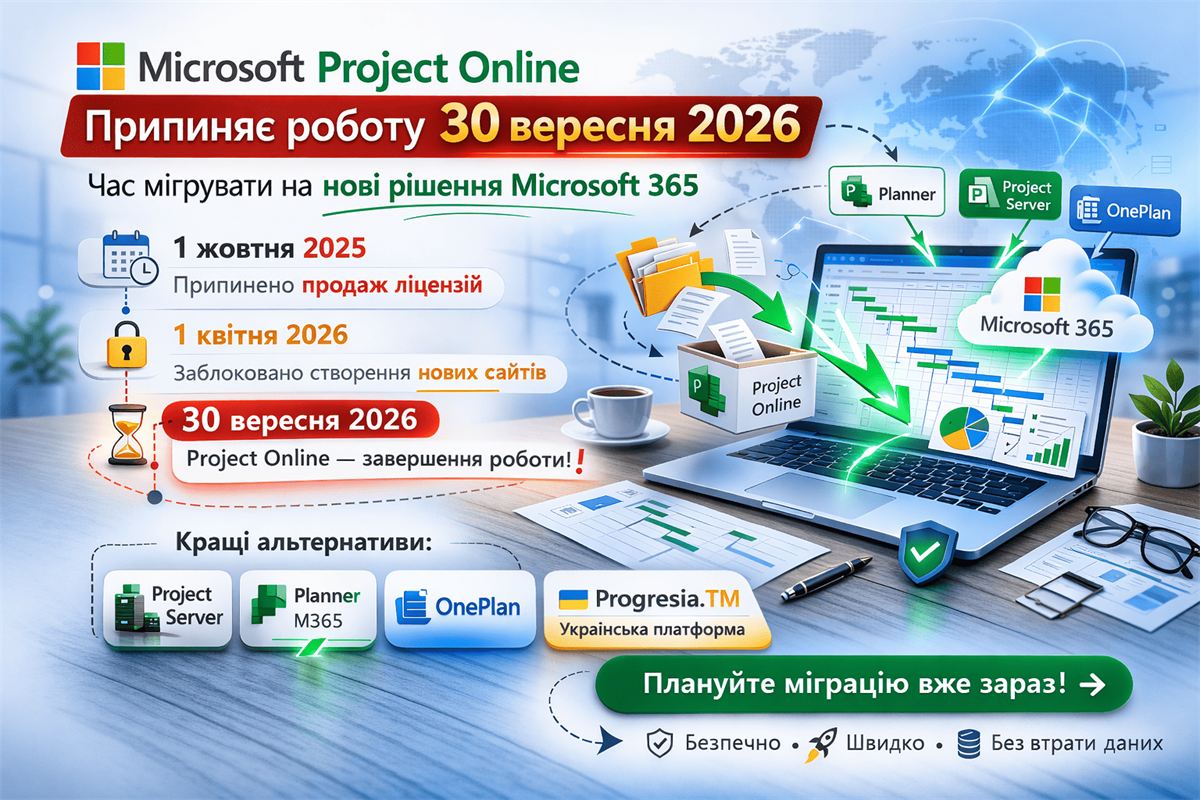
Microsoft Project Online is retiring in 2026 — how to migrate
Microsoft Project Online
is retiring on September 30, 2026
After more than ten years of service, the platform is being retired. We cover the key dates, risks, and the best migration paths — so your data and processes stay intact.
Why is Microsoft retiring Project Online?
The platform's outdated architecture limits integration with modern collaboration tools. Microsoft is shifting its investment toward Planner, Microsoft 365 Copilot, and the Project Manager agent — a new generation of work management tools with built-in artificial intelligence.
Key dates you need to know
📅 Retirement schedule
October 1, 2025
New Project Online license sales stopped for new customers.
April 1, 2026
Creation of new PWA sites blocked. Tenants without active projects lose access.
September 30, 2026 — deadline
Project Online fully unavailable. All projects, portfolio data, resource allocations, and project history will be permanently lost without a prior migration.
Most organizations complete migration in 3–6 months. Enterprise environments with complex integrations require 8–12 months. Time is critically short — action is needed now.
Where to migrate? Transition options
Depending on organization size, process maturity, and technical requirements — there are four proven paths:
Option 01
Microsoft Project Server
The closest alternative for organizations with enterprise-level portfolio management needs. Retains the familiar PWA interface, supports advanced planning and reporting. Deployable on-premises or in Azure.
Enterprise level
Option 02
Microsoft Planner
A cloud tool within Microsoft 365 that unifies Project for the web, Planner, and To Do. The Premium plan includes portfolios, baselines, dependencies, Gantt charts, and Power Automate automation.
Cloud · M365 integration
Option 03
OnePlan
For organizations requiring strategic portfolio management: scenario modeling, prioritization, resource and financial planning. Deep integrations with Planner, Teams, and Azure DevOps.
Portfolio management
Option 04
Progresia.TM
A Ukrainian platform for project and resource management with local support. User-friendly interface, task and resource management, Microsoft 365 integrations — built for the realities of Ukrainian business.
Local support · Ukrainian
Progresia — your migration partner
We will help you migrate
without disrupting your workflows
- Environment auditAssessment of data volume and current integrations
- Migration planA roadmap aligned with your processes and deadlines
- Data transferProjects, resources, reports — without data loss
- ImplementationNew solution configured to fit your needs
- Team trainingTraining sessions by certified Progresia specialists
- 24/7 supportOngoing technical support after the transition
📌 Source: Microsoft Tech Community — Project Online is Retiring: What You Need to Know. Content prepared by the Progresia team.