
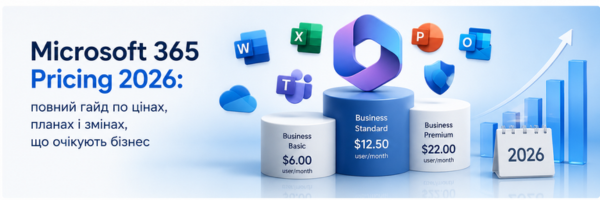
Microsoft 365 Price Increase Starting July 1, 2026
📋 Microsoft Licensing
Microsoft 365 Price Increase Starting July 1, 2026: Full List of Changes
Microsoft has officially confirmed price increases across all commercial Microsoft 365 plans, effective July 1, 2026. The changes affect Business, Enterprise, and Frontline plans — with some increasing by 13–33%. We've pulled all the numbers together in one place.
When It Happens
ℹ️
Note: If you're currently on an annual subscription, new prices will apply only at your next renewal after July 1. If you're on a monthly plan, changes take effect in July.
Business Plans
Plans for organizations with up to 300 users:
| Plan | Current | From July 1 | Change |
|---|---|---|---|
| Microsoft 365 Business Basic | $6.00 | $7.00 | +16% |
| Microsoft 365 Business Standard | $12.50 | $14.00 | +12% |
| Microsoft 365 Business Basic (without Teams) | $4.40 | $5.40 | +23% |
| Microsoft 365 Business Standard (without Teams) | $9.29 | $10.79 | +16% |
Enterprise Plans
Plans for large organizations with no user limits:
| Plan | Current | From July 1 | Change |
|---|---|---|---|
| Office 365 E3 | $23.00 | $26.00 | +13% |
| Office 365 E5 | $38.00 | $41.00 | +8% |
| Microsoft 365 E3 | $36.00 | $39.00 | +8% |
| Microsoft 365 E5 | $57.00 | $60.00 | +5% |
| Office 365 E3 (without Teams) | $14.45 | $17.45 | +14% |
| Office 365 E5 (without Teams) | $29.45 | $32.45 | +10% |
| Microsoft 365 E3 (without Teams) | $27.45 | $30.45 | +11% |
| Microsoft 365 E5 (without Teams) | $48.45 | $51.45 | +6% |
Frontline Plans
Plans for employees without a fixed workstation — manufacturing, logistics, retail, field workers. This tier sees the steepest percentage increases:
| Plan | Current | From July 1 | Change |
|---|---|---|---|
| Microsoft 365 F1 | $2.25 | $3.00 | +33% |
| Microsoft 365 F3 | $8.00 | $10.00 | +25% |
| Microsoft 365 F1 (without Teams) | $1.75 | $2.50 | +43% |
| Microsoft 365 F3 (without Teams) | $6.93 | $8.93 | +29% |
Standalone Components
| Component | Current | From July 1 | Change |
|---|---|---|---|
| Microsoft 365 Apps (per user) | $12.00 | $14.00 | +17% |
| Microsoft 365 Apps (per device) | $36.00 | $42.00 | +17% |
| Apps for Business | $8.25 | $10.00 | +21% |
| Windows E3 | $6.63 | $7.63 | +15% |
| Windows E5 | $11.81 | $12.81 | +9% |
| Windows Enterprise (per device) | $5.85 | $7.63 | +31% |
| Enterprise Mobility + Security E3 | $10.60 | $12.00 | +13% |
| Enterprise Mobility + Security E5 | $16.40 | $18.00 | +10% |
| Entra Plan 1 | $6.00 | $7.00 | +16% |
| Entra Plan 2 | $9.00 | $10.00 | +11% |
Standalone Microsoft Teams and Copilot SKUs are not included in this update. Prices in USD and may vary by region.
What's Actually Changing in the Plans
This isn't just a price hike. Microsoft is also adding features to existing plans — capabilities that were previously sold as separate add-ons or weren't available at all. Here's what's being added to the main plans:
- +50 GB mailbox storage
- URL time-of-click protection
- Copilot Chat with Word, Excel, and PowerPoint agents
- Copilot Chat Analytics
- Microsoft Defender for Office 365 Plan 1
- Copilot Chat (with mail and calendar awareness)
- Copilot Chat Analytics
- Microsoft Defender for Office 365 Plan 1
- Intune Remote Help
- Intune Advanced Analytics
- Intune Plan 2
- Copilot Chat & Analytics
- Everything in E3, plus:
- Microsoft Security Copilot
- Intune Endpoint Privilege Management
- Microsoft Cloud PKI
- Intune Enterprise Application Management
- Quick Machine Recovery — fast system restore after failure
- Post-quantum security APIs
- Intune Remote Help
- Intune Advanced Analytics
- Intune Plan 2
⚠️
Even if you don't need the new features, you'll still pay for them. That's why it's worth reviewing your current license set before renewal — you may be able to reduce costs without losing functionality.
What to Do Before July 1
Switch to Annual Prepayment
If you're currently on a monthly plan, locking in an annual subscription before the end of June lets you keep current pricing for the next 12 months. For a company with 50–200 licenses, the annual difference can be significant.
Review Your License Set
Before automatically renewing at higher rates, check whether all your licenses are actually being used. Unused or duplicate subscriptions often go unnoticed for months. Some users may be able to move to a lower-tier plan without losing the functionality they need.
Progresia — Microsoft Partner
Let's Review Your Subscription Before July 1
We'll analyze your current license setup at no cost and identify where you can save — before the new prices kick in.