
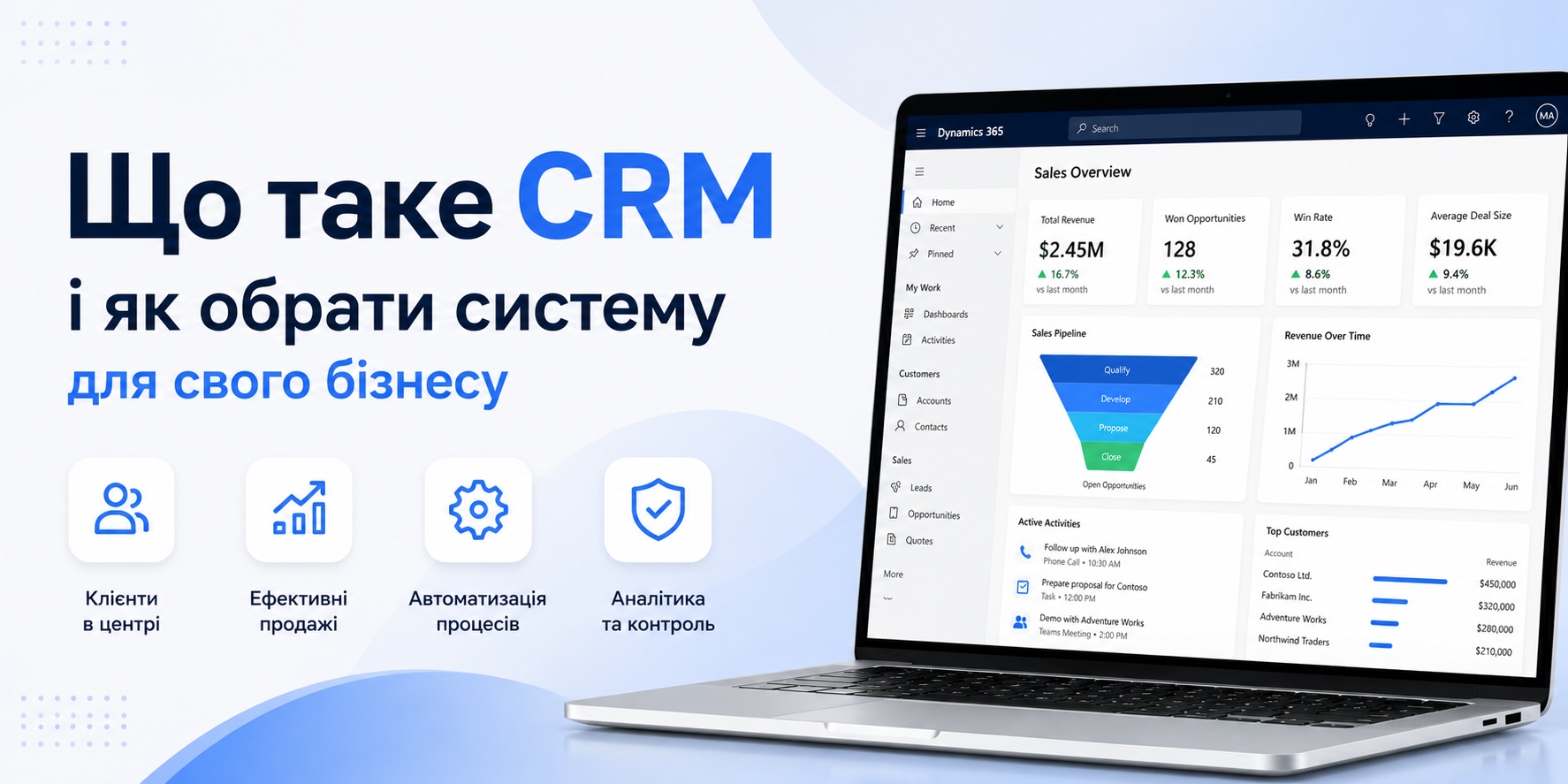
What Is CRM and How to Choose the Right System for Your Business
A CRM is not just a contact database. It's the operational backbone of your sales process — the difference between growing faster than your competitors and constantly firefighting manual tasks.
What Is a CRM System — In Plain Terms
CRM stands for Customer Relationship Management. It is a system that centralises everything you know about every customer: who they are, how they found you, what they've purchased, what requests they've submitted, when you last spoke with them, and where they are in your sales pipeline right now.
But stopping at that definition gives the false impression that a CRM is just an expensive spreadsheet. In reality, a modern CRM is an automated sales engine — from the first lead to a signed contract to the next upsell. It doesn't just store data; it prompts, reminds, forecasts, and handles repetitive work so your team doesn't have to.
Signs Your Business Already Needs a CRM
There are clear signals that the absence of a CRM is costing you money right now.
- Sales reps manage contacts in personal spreadsheets, notebooks, or their own memory — that knowledge belongs to the individual, not the company
- When a salesperson leaves, their client relationships walk out the door with them
- You can't answer in real time how many deals are in the pipeline or what they're worth
- Leads from your website or advertising fall through the cracks with no systematic follow-up
- Repeat sales depend on a rep remembering to call, not on automated reminders
- Management finds out about a deal at risk only after the client has already moved to a competitor
- Sales reporting is assembled manually and takes hours or days to produce
If at least three of these apply to your organisation, a CRM will deliver a noticeable impact within the first 2–3 months after implementation.
What a CRM Actually Solves
Unified Customer Database
All customer information in one place: contacts, deals, correspondence, documents, tasks, and calls. Available to any team member at any time.
Automated Sales Pipeline
The CRM moves deals through stages, sends reminders about deadlines, triggers automated emails, and flags stalled opportunities before they go cold.
Unified Communications
Calls, emails, chats, and messages — every interaction is logged automatically against the customer record. Reps see the full history before their next conversation.
Analytics and Forecasting
Dashboards show live pipeline status: deal count, total value, stage-by-stage conversion, and revenue forecast — without any manual data gathering.
Routine Automation
Generating proposals from templates, scheduling follow-up calls, routing leads to the right rep, escalating overdue tasks — all handled by the system automatically.
System Integrations
Connect your ERP, accounting software, marketing tools, telephony, and website. Data synchronises automatically — no manual transfer between systems.
How to Choose a CRM: 7 Criteria That Actually Matter
The CRM market is crowded. A quick search will return dozens of options. To cut through the noise, evaluate platforms against the criteria that have real operational impact for B2B companies.
| Criterion | What to Look For |
|---|---|
| Process Fit | The CRM should adapt to your sales cycle, not the other way around. Ask: can you configure pipeline stages, custom fields, and automation workflows without a developer? |
| Integrations | Check for native connectors to your ERP, telephony, email, and marketing stack. Every custom integration adds cost and fragility. |
| Scalability | A CRM that works for 5 reps may break at 50. Evaluate the platform for where you want to be in 3–5 years, not just today. |
| Team Usability | If your reps don't actually use it, the CRM delivers nothing. Test the UX with real users before purchasing. A mobile app is non-negotiable. |
| Security and Compliance | Where is the data stored? Is the system GDPR-compliant? Is there local language support and regional technical support? |
| Total Cost of Ownership (TCO) | Count the full 3-year cost: licences, implementation, training, integrations, and ongoing support. Cheap entry often means expensive exit. |
| Implementation Partner | A CRM is a project, not a software purchase. Your partner's experience in your industry matters more than the platform's global ranking. |
Why Microsoft Dynamics 365 Is the Right Choice for B2B
Among the many CRM platforms available, Dynamics 365 Sales holds a unique position for organisations that already operate — or plan to operate — within the Microsoft ecosystem.
- Deep Microsoft 365 integration — Outlook, Teams, Excel, and SharePoint sync natively. Reps stay in their inbox; the CRM surfaces right inside their existing tools.
- Built-in Power BI analytics — sales dashboards, pipeline reports, and manager KPIs are available out of the box, without a separate BI project.
- AI Copilot for sales — Copilot automatically prepares deal summaries before calls, suggests next best actions, analyses email threads, and flags at-risk opportunities.
- Unlimited scalability — from 5 to 5,000 users in a single environment. Start with Sales and expand to Customer Service, Marketing, or Field Service as your needs grow.
- Enterprise-grade security — Azure Active Directory, MFA, RBAC, data hosted in Microsoft's cloud datacentres with GDPR and ISO 27001 compliance.
- Local partners with industry depth — unlike US-based SaaS tools, Dynamics 365 has a network of certified regional partners with vertical-specific experience.
What to Consider Before Starting Your CRM Project
Most failed CRM implementations share the same root causes. They're organisational, not technical.
1. No internal project owner
A CRM cannot be fully outsourced. You need a person inside the business who owns the implementation, understands the processes, and has the authority to make decisions.
2. Automating chaos
A CRM amplifies what's already there. If your sales process isn't defined and standardised, the CRM will simply digitise the chaos. Before implementation, map out at least a rough version of the ideal deal cycle — from lead to payment.
3. Underestimating team training
The most expensive CRM delivers nothing if reps don't fill it in. Training is not optional — it's part of the project budget. Plan for at least one week of onboarding and hands-on practice.
4. Measuring success by configuration complexity
CRM success is measured in business outcomes: shorter deal cycles, higher conversion rates, fewer lost leads. Define your success metrics before the project starts, not after go-live.
How Progresia Can Help
Progresia is a Microsoft-certified partner specialising in Dynamics 365 implementation. We don't just deploy software — we design the processes around your business and make sure your team actually uses the system, not just runs it in the background.
- 100+ delivered projects across distribution, agriculture, manufacturing, IT, automotive, and telecom
- Free sales process audit before the project begins
- Defined success KPIs agreed before contract signing
- Team of 50+ certified Microsoft specialists — developers, business analysts, and trainers
- Proprietary product Progresia.Chat — omnichannel customer communication in a single interface
- 24/7 technical support with SLA response from 4 hours for critical incidents
Ready to implement Dynamics 365 for your sales team?
We'll run a free process audit and show exactly how Dynamics 365 solves your team's specific challenges — with agreed results before you sign anything.